

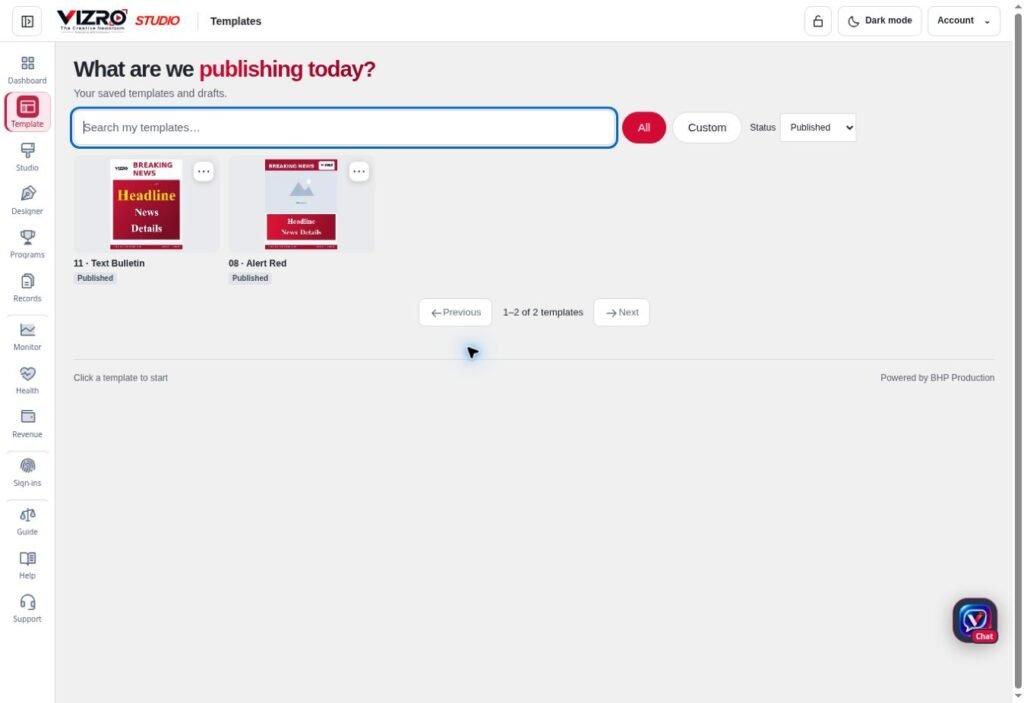
A social media graphic has to communicate quickly. People may see it while scrolling, on a small screen or without opening the caption. Consistent colours, typography and spacing help them recognise the source, but the message must still be easy to understand. VIZRO combines custom design in Designer with repeatable production in Studio and a mobile-friendly Chat workflow.
Give each graphic one main job
Before opening the design, decide what the post should communicate. Is it announcing something, explaining a point, inviting attendance or introducing a product? Write the main message in one sentence and choose the most useful supporting detail.
Keep the image and caption complementary. Put essential information inside the graphic when the post must make sense without the caption. Leave longer context for the accompanying text rather than shrinking every detail into the layout.
Build a small family of layouts
Create a few reusable designs for the kinds of posts you actually publish. For example, prepare a photo-led announcement, a short quote and an informational card. Keep recognisable brand elements in consistent positions while allowing the main content to change.
Use VIZRO Designer for text, photos, shapes, layers and available effects. Save the editable project. If the layout will be reused, map its inputs and publish it to the relevant workspace within the account's permissions and plan.
There is no need to force every post into one design. A detailed announcement may need a different composition from a short update. Consistency comes from a shared visual approach, not identical content on every occasion.
Prepare the next post in Studio or Chat
Open an available published template in Studio, enter the new copy and add the photograph. Adjust the crop and check the relationship between the headline and the image. For a phone workflow, use Chat and follow the template's prompts.
Supporting copy and suggested hashtags still need editing. Remove irrelevant tags, check names and avoid claims that the graphic does not support. VIZRO does not automatically guarantee publication, reach or engagement on a social platform.
Review at the intended viewing size
Look at the complete graphic at a realistic small-screen size. Can the headline be read immediately? Are the date, price or contact details clear? Does the photograph remain useful after cropping? Correct those issues before adding more visual effects.
Export the appropriate format using the options available in your workspace, then inspect the downloaded file before uploading it. Check the destination platform's current requirements separately. Keep an editable project for later corrections and publish only text, images and brand assets that you are entitled to use.
