

Freelance design work involves more than producing a finished image. The brief must be clear, revisions need to remain manageable and the final file must match what the client approved. VIZRO Designer and its connected template workflow can help organise repeated creative work when used with a simple project routine.
Agree on the brief before opening the canvas
Write down the audience, main message, intended destination and the information that must appear. Confirm the size or format required by the client and collect the approved text, photographs and brand assets.
Clarify whether the client needs one finished graphic, an editable project or a reusable workspace template. These are different deliverables. Do not assume that sending an exported image also provides an editable design system.
Keep the design source editable
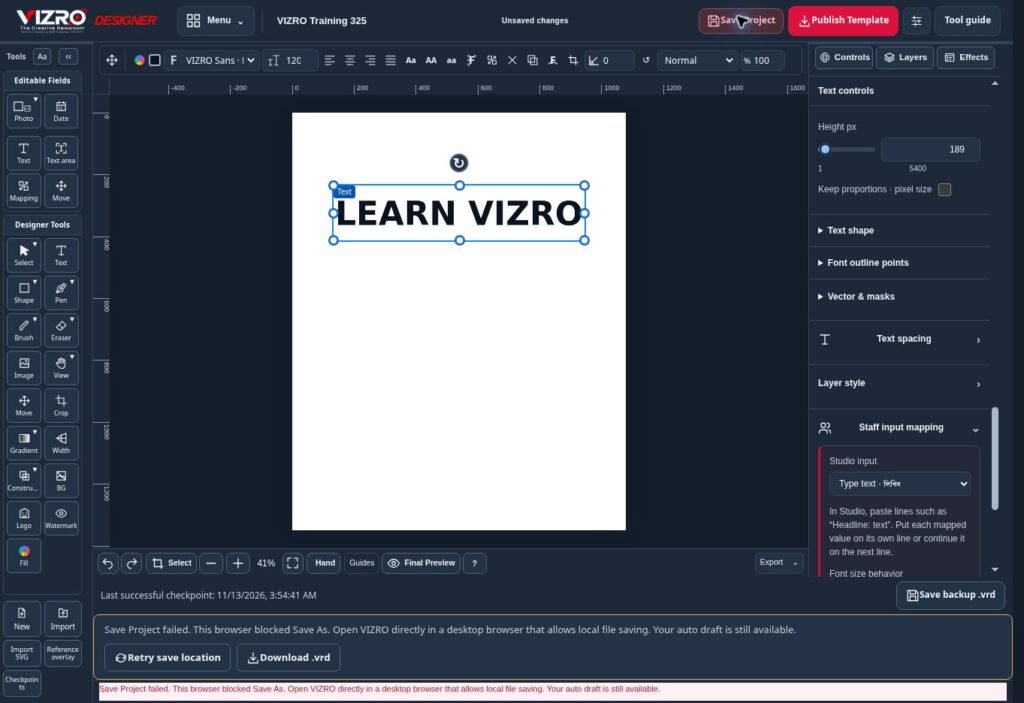
Prepare the composition in VIZRO Designer using text, photos, shapes, layers and available effects. Use meaningful layer names and a structure that will still make sense when you return to the project.
Save an editable .vrd project at useful milestones. Keep the source in a location you control and confirm that the file has actually downloaded or saved. Temporary browser drafts are helpful, but important client work needs a deliberate saved copy and backup.
If the browser cannot open the save-location picker, use the available download fallback and verify the resulting file. Reopen important saved work when appropriate to confirm that the expected layout is present.
Use templates for repeated client communication
A client with regular social posts or announcements may benefit from a prepared layout. Map the changing inputs and publish the template only to the intended workspace, within the account's permissions and capacity.
Test it in Studio with realistic content before making it part of routine production. If the client will use the phone workflow, check the available template through Chat as well. Explain which fields can change and when a design revision is needed.
Finish with a clear approval and file check
Review the spelling, prices, dates, contact details and image rights against the approved brief. Inspect the downloaded export for missing elements, incorrect crops and readable text.
Use the export formats available in the current workspace and agree on any print-production requirements separately. Keep the approved editable version organised so that a later correction does not start from an old draft.
VIZRO provides the creative workspace; project naming, client approval and backup remain part of a professional workflow. A small routine around those tasks makes repeat work easier to manage and helps keep each client's graphics consistent.
