

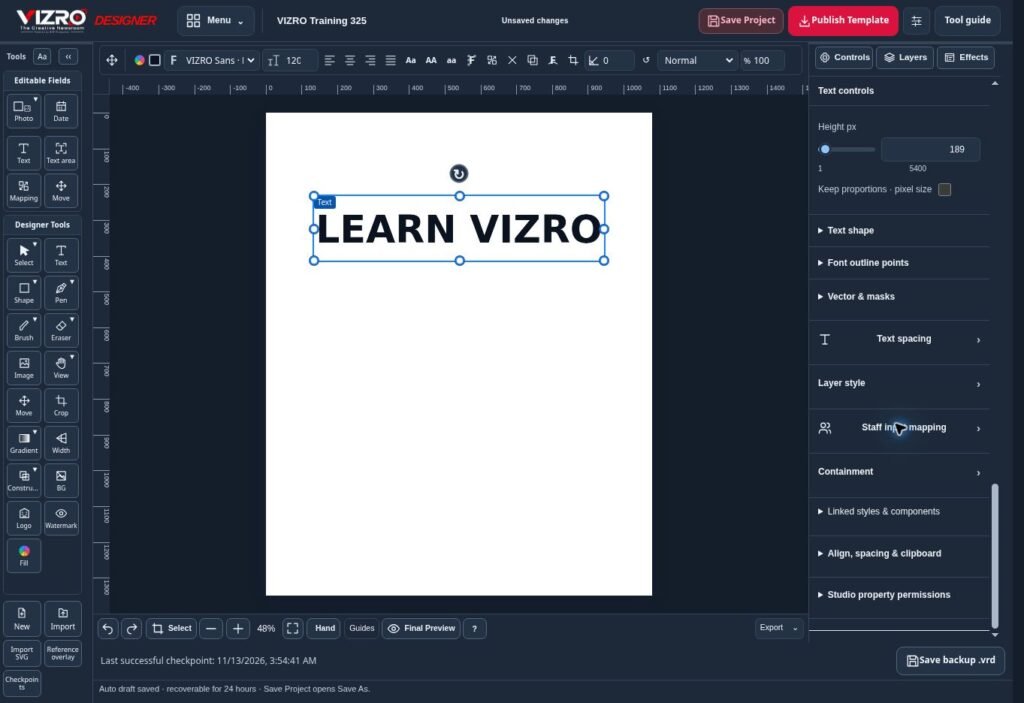
A reusable template is more than a finished poster with empty spaces. It is a design prepared for changing content. The headline may become longer, the photograph may have a different shape and another person may enter the next message. Planning for those changes makes a VIZRO template useful in daily work.
Decide what stays and what changes
Start by separating the fixed visual identity from the editable information. The brand position, background treatment and basic spacing may stay fixed. A headline, short description, date or photograph may need to change each time.
Choose one clear purpose for the template. A product offer, an event announcement and a breaking-news update have different information needs. Separate layouts are usually easier to understand than one crowded design that tries to handle every possible message.
Prepare and test the layout in Designer
Build the composition in VIZRO Designer on a supported larger-screen device. Arrange text, images, shapes and layers. Give the main message enough space and avoid placing essential information too close to the edge.
Test short and long examples before publishing. A layout that looks balanced with a two-word headline can become difficult to read with a sentence. Try a portrait photograph and a wider image where the design allows them. Check that the intended crop leaves the important subject visible.
Save the editable .vrd project so that the design can be revised later. A local project and a published workspace template serve different purposes; keep the editable source when you expect to change the layout.
Map the fields your contributors need
Use the available mapping controls to connect editable elements with the appropriate Studio inputs. Give contributors a clear purpose for each field. A headline field should not become a place for the entire article simply because there is no clear instruction.
Publish the template to the correct workspace using the permissions and published-template capacity in your plan. Then open it in Studio and test it as a contributor would: enter the content, add a photo and review the result. Check the template through Chat as well if the team plans to use the phone workflow.
Improve the template after real use
Watch where contributors hesitate or repeatedly change the same thing. A field may need a clearer label, more space or a different layout. Revise the design deliberately and check the available publishing or replacement workflow before making it part of routine production.
A good template reduces repeated layout work while preserving review. Contributors still need to check spelling, facts, dates, image rights and the finished graphic before publication. Use the Designer and Studio chapters of the illustrated guide when preparing your first reusable workflow.
